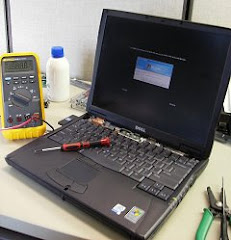
A customer came in with a broken hinge on their laptop yesterday. I've seen this happen dozens of times on other computers. Unfortunately, it was a netbook. Please see previous blogs on my netbook comments. Had another customer come in with a Windows Vista machine that broke down. Fortunately, the computer was backed up and all the files were intact. Last customer came in with a unique issue with a program called Fink. Will have to do a bit of research for that one.
BRM Laptop Repair
3171 N. High St.
Columbus, OH 43202
www.BRMLaptopRepair.com
laptop.repair@gmx.com
614-313-9901
Showing posts with label hard drive. Show all posts
Showing posts with label hard drive. Show all posts
Thursday, December 16, 2010

Wednesday, October 20, 2010
Netbook Rant
A customer came in yesterday with an Acer netbook that was not booting up. The power light would turn on but that was it, no hard drive spinning and nothing showing on the display. If you look at previous posts I've ranted about netbooks and acers before. I'm not a big fan of netbooks as they are trying to cram all the functionality into a smaller size. If you feel you need to get one, don't get the cheapest one out there thinking it's going to last forever. As with most things in life, if the price is lower there is always a reason. The screens on netbooks have no metal edging or brackets to them unlike their bigger laptop counterparts. Cost savings. The hinges are only attached to the backpanel and are only held there by glue and small 1/8 inch screws. Cost savings. The fan is smaller because the whole laptop itself is smaller. Cost Savings. Most of the time no optical drive. Cost savings. Less connectors like USB, serial, VGA out, HDMI out, etc. Cost savings. Atom processor, this is the same processor I've seen used in high end home entertainment systems. Cost savings. Most netbooks that are below $300 have about 2 year lifespans, 3 if you are really careful.
If you still feel the need to get one. Look for a good Asus, Dell, Toshiba or Lenovo netbook and be prepared to spend $500 or more. I hope this helps you out when purchasing.
BRM Laptop Repair
3171 N. High St.
Columbus, OH 43202
www.BRMLaptopRepair.com
laptop.repair@gmx.com
614-313-9901
If you still feel the need to get one. Look for a good Asus, Dell, Toshiba or Lenovo netbook and be prepared to spend $500 or more. I hope this helps you out when purchasing.
BRM Laptop Repair
3171 N. High St.
Columbus, OH 43202
www.BRMLaptopRepair.com
laptop.repair@gmx.com
614-313-9901
Friday, October 15, 2010
4 broken laptops
Had a few calls from several customers yesterday. 3 were existing customers and 1 was a new one.
The first customer had a computer that was brought into the shop after another company had sold her a defective hard drive. After determining she had a bad drive I told her to go get her money back. She said she wanted to try to install the hard drive herself after getting another one and was going to install the operating system too. What she really needed help with was installing the necessary drivers for her computer and to get the files that she had backed up before the hard drive failed back onto the laptop.
The 2nd customer had a virus on his computer that has been going around since about June of 2009 under a variety of names. Basically, he was locked out of his computer and couldn't run any programs. Been seeing a lot of these.
The 3rd customer brought his computer in a while ago and was running out of space on his computer so the hard drive will possibly need backed up, wiped clean and have everything reinstalled.
The 4th customer had a water spill on his computer and it won't turn on. Could be coincidental that he has a bad DC power jack but unlikely. This will probably take a complete mobo(motherboard) replacement.
BRM Laptop Repair
3171 N. High St.
Columbus, OH 43202
www.BRMLaptopRepair.com
laptop.repair@gmx.com
614-313-9901
The first customer had a computer that was brought into the shop after another company had sold her a defective hard drive. After determining she had a bad drive I told her to go get her money back. She said she wanted to try to install the hard drive herself after getting another one and was going to install the operating system too. What she really needed help with was installing the necessary drivers for her computer and to get the files that she had backed up before the hard drive failed back onto the laptop.
The 2nd customer had a virus on his computer that has been going around since about June of 2009 under a variety of names. Basically, he was locked out of his computer and couldn't run any programs. Been seeing a lot of these.
The 3rd customer brought his computer in a while ago and was running out of space on his computer so the hard drive will possibly need backed up, wiped clean and have everything reinstalled.
The 4th customer had a water spill on his computer and it won't turn on. Could be coincidental that he has a bad DC power jack but unlikely. This will probably take a complete mobo(motherboard) replacement.
BRM Laptop Repair
3171 N. High St.
Columbus, OH 43202
www.BRMLaptopRepair.com
laptop.repair@gmx.com
614-313-9901
Monday, October 11, 2010
Data Recovery, Windows 7 Install
Got in the shop yesterday and within 5 minutes a customer walked in and asked if I could help with their desktop. They had a Windows Vista desktop that was giving all sorts of issues. They wanted to see if we could get the data onto an external hard drive and upgrade their computer to Windows 7. Spent the rest of the time replacing a hard drive and installing an operating system and drivers on a server for a vet clinic client.
BRM Laptop Repair
3171 N. High St.
Columbus, OH 43202
www.BRMLaptopRepair.com
laptop.repair@gmx.com
614-313-9901
BRM Laptop Repair
3171 N. High St.
Columbus, OH 43202
www.BRMLaptopRepair.com
laptop.repair@gmx.com
614-313-9901
Sunday, July 18, 2010
Columbus Laptop Repair - Event & iMac Repair
Yesterday I attended the annual event called picnic with the pups at CHA who I do small business consulting for. It was a great time and I had a lot of people coming over and asking computer questions and checking if I could come out on an appointment.
I've got a customer's iMac in for repairs right now. It appears the operating system was corrupted somehow and it couldn't boot into a normal mode. I archived all the files after determining the hard drive was ok and then loaded the operating system. I'm currently moving all of the archived files to an external drive. The files that were archived were not accessible so I had to copy and mount to an external hard drive to eliminate the permissions on the files.
I imagine next week will be even busier with so many people asking for help with the computers at the event.
BRM Laptop Repair
3171 N. High St.
Columbus, OH 43202
www.BRMLaptopRepair.com
laptop.repair@gmx.com
614-313-9901
Tuesday, July 6, 2010
Columbus Computer Repair - Bad Memory
Had a repeat customer come in yesterday with a computer that wouldn't boot. The computer wouldn't even get to the Dell logo screen. This computer ended up having bad memory. I backed up the customers files anyway and tested the hard drive just to make sure everything was fine and the problem was definitely isolated to just the memory.
A customer from around the corner came in today with a computer giving a similar error. It would not boot as well. This also was a Dell and it ended up being the hard drive on this computer. Ended up replacing the hard drive and reinstalling the operating system.
Been a busy day. :)
BRM Laptop Repair
3171 N. High St.
Columbus, OH 43202
www.BRMLaptopRepair.com
laptop.repair@gmx.com
614-313-9901
A customer from around the corner came in today with a computer giving a similar error. It would not boot as well. This also was a Dell and it ended up being the hard drive on this computer. Ended up replacing the hard drive and reinstalling the operating system.
Been a busy day. :)
BRM Laptop Repair
3171 N. High St.
Columbus, OH 43202
www.BRMLaptopRepair.com
laptop.repair@gmx.com
614-313-9901
Wednesday, June 30, 2010
Columbus Laptop Repair - Dell Latitude LCD, Toshiba Satellite Data Recovery
Had 2 customers come in. The first customer went to a local laptop repair shop and was given an estimate of nearly $400 to replace his LCD screen on his Dell Latitude. He then called me to get a quote and I gave him a much more economical price to replace his screen. He had some trouble getting his laptop back from the previous repair shop but immediately came to me after getting it.
The second customer had a Toshiba Satellite laptop that stopped turning on suddenly. After a short diagnosis and finding out how old the laptop was I advised the customer that it was more economical to recover what data could be recovered and invest in a new laptop. Sometimes this is the case and I will always be honest with my customer when it seems we reached that point. I'll have more later this week if you're following.
BRM Laptop Repair
3171 N. High St.
Columbus, OH 43202
www.BRMLaptopRepair.com
laptop.repair@gmx.com
614-313-9901
The second customer had a Toshiba Satellite laptop that stopped turning on suddenly. After a short diagnosis and finding out how old the laptop was I advised the customer that it was more economical to recover what data could be recovered and invest in a new laptop. Sometimes this is the case and I will always be honest with my customer when it seems we reached that point. I'll have more later this week if you're following.
BRM Laptop Repair
3171 N. High St.
Columbus, OH 43202
www.BRMLaptopRepair.com
laptop.repair@gmx.com
614-313-9901
Wednesday, May 26, 2010
Columbus laptop repair - wireless printer sharing
A customer was dealing with a printer issue. The original idea was to have the printer connected to a desktop computer and set up as shared so other computers with access to the network could print to it. The person who originally set up the printer had forgotten to share the printer and set up the correct port for it. The fix took about 20 minutes to remedy. After setting it up I checked if I could print from one of the laptops on the network to make sure everything was working ok.
BRM Laptop Repair
3171 N. High St.
Columbus, OH 43202
www.BRMLaptopRepair.com
laptop.repair@gmx.com
614-313-9901
BRM Laptop Repair
3171 N. High St.
Columbus, OH 43202
www.BRMLaptopRepair.com
laptop.repair@gmx.com
614-313-9901
Tuesday, May 25, 2010
Columbus laptop repair - Virus, spyware, bad lcd
A customer contacted me about an issue with their computer. It was only displaying in 4 & 8 bit colors. When I received the computer I saw that they had no antivirus and no spyware protection. I installed both (AVG free edition and Malwarebytes) and saw hundreds of infections. In addition, several critical windows processes/services had been disabled from the infection. After removing all the issues I reenabled the windows services that were disabled and began updating the computer to the latest revision. The customer originally came in with a burnt out lcd screen and computer running really slow and will leave with a computer that is running like it just came from the store.
BRM Laptop Repair
3171 N. High St.
Columbus, OH 43202
www.BRMLaptopRepair.com
laptop.repair@gmx.com
614-313-9901
BRM Laptop Repair
3171 N. High St.
Columbus, OH 43202
www.BRMLaptopRepair.com
laptop.repair@gmx.com
614-313-9901
Monday, May 24, 2010
Columbus Laptop Repair - Dell Screen Replacement
Slow week so far. Picked up a Dell laptop, about 5 years old, that needed a screen replacement. This failure is pretty advanced. The screen turns pink like the lights are going bad but then cuts to a dark screen a couple of seconds later.
Get the new screen later this week and will replace it turning the computer repair around in about 4 days.
BRM Laptop Repair
3171 N. High St.
Columbus, OH 43202
www.BRMLaptopRepair.com
laptop.repair@gmx.com
614-313-9901
Get the new screen later this week and will replace it turning the computer repair around in about 4 days.
BRM Laptop Repair
3171 N. High St.
Columbus, OH 43202
www.BRMLaptopRepair.com
laptop.repair@gmx.com
614-313-9901
Wednesday, May 5, 2010
Last night I picked up another computer (desktop) that was having some overheating issues. This computer was turning off after a couple of hours of being turned on. I didn't have time to dig into it to see what was the matter but I'm guessing that it's probably attributed to dust or debris in the fans and proper heat dissipation is not occurring. I will be working on this one tonight and the other laptops that came into the office. Hopefully a quick repair and turnaround is a possibility tonight.
BRM Laptop Repair
3171 N. High St.
Columbus, OH 43202
www.BRMLaptopRepair.com
laptop.repair@gmx.com
614-313-9901
BRM Laptop Repair
3171 N. High St.
Columbus, OH 43202
www.BRMLaptopRepair.com
laptop.repair@gmx.com
614-313-9901
Tuesday, May 4, 2010
More computers
Well, after dropping off a customers computer I was asked to look at her sister'sBRM Laptop Repair
computer. This one is a dell and runs really slow. It is a desktop which is ok but
I prefer providing support for laptops. Another custome had a couple of compaq
computers for me to look at. Basically it wouldn't boot and the other had a pink
screen. I will hopefully be making 1 good computer out of two. Last one I will be
looking at is a friends computer who appears to be having overheating issues.
That's all folks.
3171 N. High St.
Columbus, OH 43202
www.BRMLaptopRepair.com
laptop.repair@gmx.com
614-313-9901
Monday, May 3, 2010
Computers, Desktops & Laptops Oh my...
This week has been an interesting week already. I will be working on a desktop computer that is a Compaq Presario this week that keeps randomly shutting down. Sounds like an overheating problem since it is shutting off after a couple of hours of running every time. Also have a Dell Studio laptop in the pipeline that will need a screen replaced. This one's a little unique in that it has a HD LCD on it which tends to be a little pricier than normal.
Last week I picked up a couple of laptops that both had a bad DC power connector. The first was a HP that also needs a new screen, battery and the customer also wanted a memory upgrade. The other laptop had a hard drive going bad in it so data recovery was needed too. Disassembly of those types of laptops are always fun as there's a lot of electronics crammed into a little space. The last one I picked up last week was an acer that had picked up a virus. I was able to use my favorite tool, CCleaner, to help clean that laptop up. From the same customer location I picked up an SD card that was accidently formatted and had vaction videos from Disneyland on it. I really enjoyed being able to drop off a DVD that had the recovered videos and making another customer extremely happy about getting their data back.
Last week was a busy week and this one doesn't look like it's going to slow down at all. Looking forward to a couple of screen replacements and another power connector replacement.
BRM Laptop Repair
3171 N. High St.
Columbus, OH 43202
www.BRMLaptopRepair.com
laptop.repair@gmx.com
614-313-9901
Last week I picked up a couple of laptops that both had a bad DC power connector. The first was a HP that also needs a new screen, battery and the customer also wanted a memory upgrade. The other laptop had a hard drive going bad in it so data recovery was needed too. Disassembly of those types of laptops are always fun as there's a lot of electronics crammed into a little space. The last one I picked up last week was an acer that had picked up a virus. I was able to use my favorite tool, CCleaner, to help clean that laptop up. From the same customer location I picked up an SD card that was accidently formatted and had vaction videos from Disneyland on it. I really enjoyed being able to drop off a DVD that had the recovered videos and making another customer extremely happy about getting their data back.
Last week was a busy week and this one doesn't look like it's going to slow down at all. Looking forward to a couple of screen replacements and another power connector replacement.
BRM Laptop Repair
3171 N. High St.
Columbus, OH 43202
www.BRMLaptopRepair.com
laptop.repair@gmx.com
614-313-9901
Friday, April 9, 2010
Back up and blogging
Well, back to blogging about the repairs again. I just finished a huge project for an animal shelter that involved converting the entire network from hardwired to wireless and installing network cameras saving video feed to dedicated hard drive storage.
I'll be returning a gateway, dell and hp computer to their owners today. The gateway had a bad power cord, the dell a bad inverter and the hp needed a new dc power connector.
I will then be picking up a compaq for a fan replacement, a hard drive for data recovery and I have another dell in the shop for a power connector replacement. Looks like a busy weekend.
BRM Laptop Repair
3171 N. High St.
Columbus, OH 43202
www.BRMLaptopRepair.com
laptop.repair@gmx.com
614-313-9901
I'll be returning a gateway, dell and hp computer to their owners today. The gateway had a bad power cord, the dell a bad inverter and the hp needed a new dc power connector.
I will then be picking up a compaq for a fan replacement, a hard drive for data recovery and I have another dell in the shop for a power connector replacement. Looks like a busy weekend.
BRM Laptop Repair
3171 N. High St.
Columbus, OH 43202
www.BRMLaptopRepair.com
laptop.repair@gmx.com
614-313-9901
Thursday, July 2, 2009
DC Power Connectors, Bad RAM & Bad Hard Drive
Had a few computers come in this week... Oh, before I forget. I now have a drop off location at 1933 East Dublin Granville Rd, 43229. It's inside the UPS store and they have work authorizations readily available when you drop it off and will contact me. If you'd like to contact me yourself about your laptop my number is 313-9901.
Back to the computers, one was a Dell D600 that the customer had used while in school and had developed a bad DC power jack on the laptop side. All the customer wanted was data(photos, music & documents) taken off the hard drive. In return, I got to keep the laptop to repair and resell as a refurbished laptop.
The next laptop also had a bad power jack and is a Gateway. Same fix, order the part and resolder after removing the old one. Took a couple of hours as usual but was back up and running in no time.
The computer with bad RAM kept having problems starting up and was actually showing a hard drive failure when doing diagnostics. Replacing the RAM solved the issue and after an operating system reinstall, the computer was like new.
The last computer had the hard drive just die. I'm attempting a data recovery on this one and will try to do what I can but data recovery is never a guarantee. I will be putting a new hard drive in this and loading the operating system and returning the laptop. I'm crossing my fingers on the hard drive recovery.
BRM Laptop Repair
3171 N. High St.
Columbus, OH 43202
www.BRMLaptopRepair.com
laptop.repair@gmx.com
614-313-9901
Back to the computers, one was a Dell D600 that the customer had used while in school and had developed a bad DC power jack on the laptop side. All the customer wanted was data(photos, music & documents) taken off the hard drive. In return, I got to keep the laptop to repair and resell as a refurbished laptop.
The next laptop also had a bad power jack and is a Gateway. Same fix, order the part and resolder after removing the old one. Took a couple of hours as usual but was back up and running in no time.
The computer with bad RAM kept having problems starting up and was actually showing a hard drive failure when doing diagnostics. Replacing the RAM solved the issue and after an operating system reinstall, the computer was like new.
The last computer had the hard drive just die. I'm attempting a data recovery on this one and will try to do what I can but data recovery is never a guarantee. I will be putting a new hard drive in this and loading the operating system and returning the laptop. I'm crossing my fingers on the hard drive recovery.
BRM Laptop Repair
3171 N. High St.
Columbus, OH 43202
www.BRMLaptopRepair.com
laptop.repair@gmx.com
614-313-9901
Wednesday, June 17, 2009
Hijacked Computer & Bad Hard Drive
Had a client yesterday that had laptop and desktop issues. Both computers were Dell machines. The laptop had been hijacked by an application that had installed itself and prevented the user from doing anything after booting into windows. This is the 3rd customer that I've seen have this problem this week. The program stated that the computer was infected and that 30+ infections were found and if you did anything it shuts down the application you try to access. It's a front for getting your credit card number and doing even worse damage than was done to the laptop so be very careful if you have this. Each computer behaved a little differently and took different measures to remove the application.
The desktop was a no brainer. I used a USB stick that had an operating system(Ubuntu) loaded on it and was able to make sure all the hardware worked. When trying to install an operating system on the hard drive though, the hard drive just spun and made no progress. After further testing in my office it was verified the hard drive went bad.
BRM Laptop Repair
3171 N. High St.
Columbus, OH 43202
www.BRMLaptopRepair.com
laptop.repair@gmx.com
614-313-9901
The desktop was a no brainer. I used a USB stick that had an operating system(Ubuntu) loaded on it and was able to make sure all the hardware worked. When trying to install an operating system on the hard drive though, the hard drive just spun and made no progress. After further testing in my office it was verified the hard drive went bad.
BRM Laptop Repair
3171 N. High St.
Columbus, OH 43202
www.BRMLaptopRepair.com
laptop.repair@gmx.com
614-313-9901
Thursday, June 11, 2009
3 laptops
Recently had a customer come all the way from Mansfield with 3 laptops that he needed assistance with. 2 of the laptops are HP DV6000 models that have different problems with them. His exact words were "found you on the net - was looking for the Toshiba laptop warranty repair place off polaris but you seem well recommended", pretty cool.
The third laptop is a Toshiba and has some problems with overheating.
1 HP has an issue with the power button, still trying to narrow that one down. The other has problems getting past POST(Power On Self Test). Will be looking at that one soon.
Had 2 customers recently have a pop up on their screen when booting into Windows that says they have some virus on their computer and that it is being removed/quarantined/locked down by an antivirus program that they did not install after the Windows splash screen disappears.
The first computer I saw this on had Windows Vista and was salvaged after opening task manager, killing the process, uninstalling a program that had installed itself and rolling back Vista to a month before the attack.
The second computer had XP Home and was not so lucky. Task manager was inaccessible thanks to the attack and the program hid itself when booting into safe mode. On top of that, the Add/Remove programs was disabled. Probably could've targeted specific points and eliminated the problem but it would've taken much more time and labor doing this approach rather than backing up the data(scanning backed up data for infections of course) and blasting the operating system.
BRM Laptop Repair
3171 N. High St.
Columbus, OH 43202
www.BRMLaptopRepair.com
laptop.repair@gmx.com
614-313-9901
The third laptop is a Toshiba and has some problems with overheating.
1 HP has an issue with the power button, still trying to narrow that one down. The other has problems getting past POST(Power On Self Test). Will be looking at that one soon.
Had 2 customers recently have a pop up on their screen when booting into Windows that says they have some virus on their computer and that it is being removed/quarantined/locked down by an antivirus program that they did not install after the Windows splash screen disappears.
The first computer I saw this on had Windows Vista and was salvaged after opening task manager, killing the process, uninstalling a program that had installed itself and rolling back Vista to a month before the attack.
The second computer had XP Home and was not so lucky. Task manager was inaccessible thanks to the attack and the program hid itself when booting into safe mode. On top of that, the Add/Remove programs was disabled. Probably could've targeted specific points and eliminated the problem but it would've taken much more time and labor doing this approach rather than backing up the data(scanning backed up data for infections of course) and blasting the operating system.
BRM Laptop Repair
3171 N. High St.
Columbus, OH 43202
www.BRMLaptopRepair.com
laptop.repair@gmx.com
614-313-9901
Thursday, May 14, 2009
Interesting Development
Things have been kind of interesting over the last few weeks. I promised to get back to this and so now I am. I've had multiple Gateway laptops, Toshiba laptops, HP laptops, Compaq laptops, Dell laptops and Sony Vaio laptops that I've been working on. The list of these included 5 screens that needed replaced, 1 DC power connector that needed fixed, 1 keyboard that was non-functional, a motherboard replacement, a bad hard drive and data recovery job, and several operating system reinstallations. Oh, and can't forget the 2 upgrades that people needed. The first upgrade was a bigger hard drive but retaining the operating system(Thank you Clonezilla!) and the upgrading the RAM to 2 gigabytes from 1 gigabyte. That was a gateway. The second upgrade will take place from now and will run over the next few weeks. I'm upgrading an entire network from hardwired computers to wired computers. There are bound to be issues such as what I dealt with last night in the transition. Last night I was trying to configure a router and did not realize there was something already set to a 192.168.1.1 IP on the network. It took me a call to tech support to figure that one out. I feel so ashamed. In any case, it's been a busy week and this week isn't looking any better. I have setup a dropoff location while I'm at work in case any of you need to drop a laptop off during normal business hours. If you need to know the address, feel free to contact me @ laptop.repair@gmx.com and I will gladly tell you where that is. Hopefully I'll have more of a chance to update this more often but it is getting difficult as my business is getting busier and busier. In anycase, it's sunny outside and I'm going out. Cheers!
BRM Laptop Repair
3171 N. High St.
Columbus, OH 43202
www.BRMLaptopRepair.com
laptop.repair@gmx.com
614-313-9901
BRM Laptop Repair
3171 N. High St.
Columbus, OH 43202
www.BRMLaptopRepair.com
laptop.repair@gmx.com
614-313-9901
Saturday, May 9, 2009
Been real busy
Last month has probably been the busiest month I've ever had hence not putting in a blog recently. There have been a slew of laptops that have had broken screens, bad dc connectors and fresh windows installs needed. The conficker virus scare also has contributed to a few of the problems I've been seeing. The biggest part of the busy schedule was my first major upgrade for a customer that needed the whole fleet of computers on their network upgraded.
This has been a major drain on time but at the same time very beneficial. I'll try to post more at a later time.
BRM Laptop Repair
3171 N. High St.
Columbus, OH 43202
www.BRMLaptopRepair.com
laptop.repair@gmx.com
614-313-9901
This has been a major drain on time but at the same time very beneficial. I'll try to post more at a later time.
BRM Laptop Repair
3171 N. High St.
Columbus, OH 43202
www.BRMLaptopRepair.com
laptop.repair@gmx.com
614-313-9901
Saturday, April 11, 2009
Hard Drive Recovery & Freezer

Ok, this is one of my favorite stories of data recovery. I did this about a month ago and it's always a blast (when it works). I have seen this in the past and it works about 25% of the time. I had a customer that had a hard drive that had stopped spinning. This is different than other hard drive failures that create a clicking sound on the hard drive. If the hard drive is clicking you're probably looking around $1000 to get your data back, if the data recovery company can get the data. This story is different as the hard drive makes no sound at all.
The theory behind this is that the freezer cools down the hard drive bearings and makes them contract and while the hard drive is running it keeps it cool too. Hard drives run very hot and bad hard drives run even hotter. The steps to this are as follows.
1. Buy the exact same hard drive and make sure the firmware sticker on the drive matches whe bad one.
2. Replace the electronics on the bad hard drive.
3. Make sure you have some sort of hard drive enclosure that will plug into the USB and a hard drive that is big enough to copy the data to.
4. Stick the hard drive in the freezer for 24 hours.
5. Pray, pray pray and then plug the USB cable into the computer.
6. If the drive starts spinning get your data off as fast as possible starting with the most critical files and then the second most critical and so on. For windows I like using the unstoppable copier from http://www.roadkil.net/ and Apple has their own version of data recovery. Above is a picture of the data recovery done recently.
BRM Laptop Repair
3171 N. High St.
Columbus, OH 43202
www.BRMLaptopRepair.com
laptop.repair@gmx.com
614-313-9901
Subscribe to:
Posts (Atom)