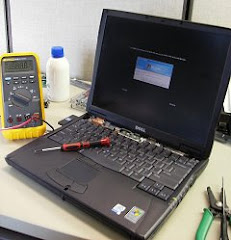
Had a few calls from several customers yesterday. 3 were existing customers and 1 was a new one.
The first customer had a computer that was brought into the shop after another company had sold her a defective hard drive. After determining she had a bad drive I told her to go get her money back. She said she wanted to try to install the hard drive herself after getting another one and was going to install the operating system too. What she really needed help with was installing the necessary drivers for her computer and to get the files that she had backed up before the hard drive failed back onto the laptop.
The 2nd customer had a virus on his computer that has been going around since about June of 2009 under a variety of names. Basically, he was locked out of his computer and couldn't run any programs. Been seeing a lot of these.
The 3rd customer brought his computer in a while ago and was running out of space on his computer so the hard drive will possibly need backed up, wiped clean and have everything reinstalled.
The 4th customer had a water spill on his computer and it won't turn on. Could be coincidental that he has a bad DC power jack but unlikely. This will probably take a complete mobo(motherboard) replacement.
BRM Laptop Repair
3171 N. High St.
Columbus, OH 43202
www.BRMLaptopRepair.com
laptop.repair@gmx.com
614-313-9901
Showing posts with label spyware. Show all posts
Showing posts with label spyware. Show all posts
Friday, October 15, 2010

Wednesday, July 28, 2010
Columbus Laptop Repair - Grand Opening
Well we just had our grand opening last weekend. We had a lot of traffic both from previous customers and new customers passing by. 4 people dropped off laptops for service and we handed out a lot of business cards to potential customers.
Currently working on a couple of Toshiba's with cracked screens and some software issues. One customer just bought the computer on Saturday and their grandson somehow got a virus on the computer. since it was still fresh out of the box the most economical solution for this customer was to do a factory restore.
I'm really busy with laptops I got from over the weekend and am playing catchup on computers right now but I guess that's a good problem to have.
BRM Laptop Repair
3171 N. High St.
Columbus, OH 43202
www.BRMLaptopRepair.com
laptop.repair@gmx.com
614-313-9901
Currently working on a couple of Toshiba's with cracked screens and some software issues. One customer just bought the computer on Saturday and their grandson somehow got a virus on the computer. since it was still fresh out of the box the most economical solution for this customer was to do a factory restore.
I'm really busy with laptops I got from over the weekend and am playing catchup on computers right now but I guess that's a good problem to have.
BRM Laptop Repair
3171 N. High St.
Columbus, OH 43202
www.BRMLaptopRepair.com
laptop.repair@gmx.com
614-313-9901
Tuesday, May 25, 2010
Columbus laptop repair - Virus, spyware, bad lcd
A customer contacted me about an issue with their computer. It was only displaying in 4 & 8 bit colors. When I received the computer I saw that they had no antivirus and no spyware protection. I installed both (AVG free edition and Malwarebytes) and saw hundreds of infections. In addition, several critical windows processes/services had been disabled from the infection. After removing all the issues I reenabled the windows services that were disabled and began updating the computer to the latest revision. The customer originally came in with a burnt out lcd screen and computer running really slow and will leave with a computer that is running like it just came from the store.
BRM Laptop Repair
3171 N. High St.
Columbus, OH 43202
www.BRMLaptopRepair.com
laptop.repair@gmx.com
614-313-9901
BRM Laptop Repair
3171 N. High St.
Columbus, OH 43202
www.BRMLaptopRepair.com
laptop.repair@gmx.com
614-313-9901
Wednesday, June 17, 2009
Hijacked Computer & Bad Hard Drive
Had a client yesterday that had laptop and desktop issues. Both computers were Dell machines. The laptop had been hijacked by an application that had installed itself and prevented the user from doing anything after booting into windows. This is the 3rd customer that I've seen have this problem this week. The program stated that the computer was infected and that 30+ infections were found and if you did anything it shuts down the application you try to access. It's a front for getting your credit card number and doing even worse damage than was done to the laptop so be very careful if you have this. Each computer behaved a little differently and took different measures to remove the application.
The desktop was a no brainer. I used a USB stick that had an operating system(Ubuntu) loaded on it and was able to make sure all the hardware worked. When trying to install an operating system on the hard drive though, the hard drive just spun and made no progress. After further testing in my office it was verified the hard drive went bad.
BRM Laptop Repair
3171 N. High St.
Columbus, OH 43202
www.BRMLaptopRepair.com
laptop.repair@gmx.com
614-313-9901
The desktop was a no brainer. I used a USB stick that had an operating system(Ubuntu) loaded on it and was able to make sure all the hardware worked. When trying to install an operating system on the hard drive though, the hard drive just spun and made no progress. After further testing in my office it was verified the hard drive went bad.
BRM Laptop Repair
3171 N. High St.
Columbus, OH 43202
www.BRMLaptopRepair.com
laptop.repair@gmx.com
614-313-9901
Thursday, June 11, 2009
3 laptops
Recently had a customer come all the way from Mansfield with 3 laptops that he needed assistance with. 2 of the laptops are HP DV6000 models that have different problems with them. His exact words were "found you on the net - was looking for the Toshiba laptop warranty repair place off polaris but you seem well recommended", pretty cool.
The third laptop is a Toshiba and has some problems with overheating.
1 HP has an issue with the power button, still trying to narrow that one down. The other has problems getting past POST(Power On Self Test). Will be looking at that one soon.
Had 2 customers recently have a pop up on their screen when booting into Windows that says they have some virus on their computer and that it is being removed/quarantined/locked down by an antivirus program that they did not install after the Windows splash screen disappears.
The first computer I saw this on had Windows Vista and was salvaged after opening task manager, killing the process, uninstalling a program that had installed itself and rolling back Vista to a month before the attack.
The second computer had XP Home and was not so lucky. Task manager was inaccessible thanks to the attack and the program hid itself when booting into safe mode. On top of that, the Add/Remove programs was disabled. Probably could've targeted specific points and eliminated the problem but it would've taken much more time and labor doing this approach rather than backing up the data(scanning backed up data for infections of course) and blasting the operating system.
BRM Laptop Repair
3171 N. High St.
Columbus, OH 43202
www.BRMLaptopRepair.com
laptop.repair@gmx.com
614-313-9901
The third laptop is a Toshiba and has some problems with overheating.
1 HP has an issue with the power button, still trying to narrow that one down. The other has problems getting past POST(Power On Self Test). Will be looking at that one soon.
Had 2 customers recently have a pop up on their screen when booting into Windows that says they have some virus on their computer and that it is being removed/quarantined/locked down by an antivirus program that they did not install after the Windows splash screen disappears.
The first computer I saw this on had Windows Vista and was salvaged after opening task manager, killing the process, uninstalling a program that had installed itself and rolling back Vista to a month before the attack.
The second computer had XP Home and was not so lucky. Task manager was inaccessible thanks to the attack and the program hid itself when booting into safe mode. On top of that, the Add/Remove programs was disabled. Probably could've targeted specific points and eliminated the problem but it would've taken much more time and labor doing this approach rather than backing up the data(scanning backed up data for infections of course) and blasting the operating system.
BRM Laptop Repair
3171 N. High St.
Columbus, OH 43202
www.BRMLaptopRepair.com
laptop.repair@gmx.com
614-313-9901
Saturday, April 11, 2009
Hard Drive Recovery & Freezer

Ok, this is one of my favorite stories of data recovery. I did this about a month ago and it's always a blast (when it works). I have seen this in the past and it works about 25% of the time. I had a customer that had a hard drive that had stopped spinning. This is different than other hard drive failures that create a clicking sound on the hard drive. If the hard drive is clicking you're probably looking around $1000 to get your data back, if the data recovery company can get the data. This story is different as the hard drive makes no sound at all.
The theory behind this is that the freezer cools down the hard drive bearings and makes them contract and while the hard drive is running it keeps it cool too. Hard drives run very hot and bad hard drives run even hotter. The steps to this are as follows.
1. Buy the exact same hard drive and make sure the firmware sticker on the drive matches whe bad one.
2. Replace the electronics on the bad hard drive.
3. Make sure you have some sort of hard drive enclosure that will plug into the USB and a hard drive that is big enough to copy the data to.
4. Stick the hard drive in the freezer for 24 hours.
5. Pray, pray pray and then plug the USB cable into the computer.
6. If the drive starts spinning get your data off as fast as possible starting with the most critical files and then the second most critical and so on. For windows I like using the unstoppable copier from http://www.roadkil.net/ and Apple has their own version of data recovery. Above is a picture of the data recovery done recently.
BRM Laptop Repair
3171 N. High St.
Columbus, OH 43202
www.BRMLaptopRepair.com
laptop.repair@gmx.com
614-313-9901
Friday, April 10, 2009
HP Laptop, HP Netbook, Apple MacBook Pro
Been about a couple of weeks since my last blog here in Columbus, Ohio. Been really busy, here's of the highlights of some of the laptops I've worked on since my last blog.
A traveling comedian was here in Columbus and had an HP netbook that was bogged down with some viruses and spyware. Not really sure how I feel about netbooks yet. They're great for quick lookups on the internet and fit in the purse or bookbag but but so do most of the smartphones on the market. The have a large solid state drive on them but don't expect them to be as powerful as their larger laptop counterparts. Kind of limited on storage so if you're looking to keep music, video or pictures on them you may want to consider external storage mediums when you purchase one. In any case, a quick loading of Ad-Aware & AVG and several Windows updates later this guy was back in business and telling jokes.
The next customer had an Apple MacBook Pro that had met with root beer and believe it or not the laptop won. This particular Apple laptop had 4 wide electrical tape covering the bottom of the entire keyboard tray protecting the motherboard against anything spilled into the laptop. The customer was very fortunate that Apple had designed this laptop so well. That being said, it still took almost a complete disassembly of the laptop to clean up all traces of the frosty beverage. Be careful if you eat or drink around your laptop, they don't like to get wet.
The last laptop I'll be talking about was a mess. This customer had taken her laptop to Geeksquad and contacted HP support about it. I've had many customers have regrets about this very type of thing because they think they're going to get great support and they have no way of knowing if the guy or gal behind the counter or on the other side of the phone is someone just out tech school our an experienced IT consultant with many years of experience. In my experience with customers, it's usually the former based on them coming to me after the service provided to them. In any case, this customer had quite a few issues going on with her laptop. She initially had called me because she couldn't print or get on the internet through Internet Explorer. Upon closer examination, I had found that the customer service she had contacted before had used remote login programs to access her computer and had failed to remove software or instructed her how to do so when finished. I also had found that they had disable several critical system processes that prevented her computer from updating Antivirus, Antispyware and Window's update. The system event log files I examined showed many, many conflicts with the Remote Login feature that was installed. The customer service had also installed many, many startup programs and screwed up her printer drivers by doing a partial install of her printer software and telling her to shut the computer off in mid stream. NEVER shut off a computer in the middle of installation of anything, especially hardware. There are many, many things happening accessing window's system files and you are guaranteed to screw things up. I managed to get her computer up and running to a tolerable condition in my opinion. I also asked when her business would have some downtime so that I could do a complete system restore on her computer since there were many other issues going on and I still could not get the USB controllers to behave properly. In short, just because you have a warranty with your laptop and wherever you bought it from does not mean they're going to fix it or make things better. I'm not trying to sell myself but I let my work speak for itself, give me a call and I'll give you an honest and fair assesment of your computer. Happy Easter everyone.
BRM Laptop Repair
3171 N. High St.
Columbus, OH 43202
www.BRMLaptopRepair.com
laptop.repair@gmx.com
614-313-9901
A traveling comedian was here in Columbus and had an HP netbook that was bogged down with some viruses and spyware. Not really sure how I feel about netbooks yet. They're great for quick lookups on the internet and fit in the purse or bookbag but but so do most of the smartphones on the market. The have a large solid state drive on them but don't expect them to be as powerful as their larger laptop counterparts. Kind of limited on storage so if you're looking to keep music, video or pictures on them you may want to consider external storage mediums when you purchase one. In any case, a quick loading of Ad-Aware & AVG and several Windows updates later this guy was back in business and telling jokes.
The next customer had an Apple MacBook Pro that had met with root beer and believe it or not the laptop won. This particular Apple laptop had 4 wide electrical tape covering the bottom of the entire keyboard tray protecting the motherboard against anything spilled into the laptop. The customer was very fortunate that Apple had designed this laptop so well. That being said, it still took almost a complete disassembly of the laptop to clean up all traces of the frosty beverage. Be careful if you eat or drink around your laptop, they don't like to get wet.
The last laptop I'll be talking about was a mess. This customer had taken her laptop to Geeksquad and contacted HP support about it. I've had many customers have regrets about this very type of thing because they think they're going to get great support and they have no way of knowing if the guy or gal behind the counter or on the other side of the phone is someone just out tech school our an experienced IT consultant with many years of experience. In my experience with customers, it's usually the former based on them coming to me after the service provided to them. In any case, this customer had quite a few issues going on with her laptop. She initially had called me because she couldn't print or get on the internet through Internet Explorer. Upon closer examination, I had found that the customer service she had contacted before had used remote login programs to access her computer and had failed to remove software or instructed her how to do so when finished. I also had found that they had disable several critical system processes that prevented her computer from updating Antivirus, Antispyware and Window's update. The system event log files I examined showed many, many conflicts with the Remote Login feature that was installed. The customer service had also installed many, many startup programs and screwed up her printer drivers by doing a partial install of her printer software and telling her to shut the computer off in mid stream. NEVER shut off a computer in the middle of installation of anything, especially hardware. There are many, many things happening accessing window's system files and you are guaranteed to screw things up. I managed to get her computer up and running to a tolerable condition in my opinion. I also asked when her business would have some downtime so that I could do a complete system restore on her computer since there were many other issues going on and I still could not get the USB controllers to behave properly. In short, just because you have a warranty with your laptop and wherever you bought it from does not mean they're going to fix it or make things better. I'm not trying to sell myself but I let my work speak for itself, give me a call and I'll give you an honest and fair assesment of your computer. Happy Easter everyone.
BRM Laptop Repair
3171 N. High St.
Columbus, OH 43202
www.BRMLaptopRepair.com
laptop.repair@gmx.com
614-313-9901
Sunday, March 29, 2009
Vundo Virus & DC Power Connector
A previous client contacted me about a problem they were having with a DC power connector. The connector had been fixed previously and something had happened where it was damaged again. The computer was an Acer Aspire and they're generally pretty easy to dismantle. The DC power connector was on a separate circuit board so disconnecting it after the motherboard was exposed was a cinch. The real cost in repairing a DC power connector is not really the part, but in the attention to detail while dismantling the laptop. There are many screws that are not the same, many wires that have to be routed a certain way and reconnected on reassembly. In addition, the person repairing your computer has to be aware of any electrostatic discharge as this may cause problems on your motherboard. Also consider the removal of the bad power connector. This takes careful desoldering techniques so no traces are damaged in the process. Finally, there has to be adequate solder joints when putting the new power connector in and careful attention is necessary so the new connector does not overheat and melt and you start all over again. So when you see the pin on your laptop power connector is loose and you wonder why you're dishing out some serious cash for this repair, keep in mind all that has to be done to do this. Most other places around Columbus are asking for way higher than what I charge. I'm not looking to get rich, don't get me wrong because that would be nice, I'm just trying to make a living and I enjoy working computers.
Another laptop I received was infected with the vundo virus. It's been attacking quite a few computers lately including my server at home. You can attempt to take care of this yourself or you can have me do it. Right now, because I'm seeing so many with this problem I'm offering a $65 flat rate for it if you have it until April 31st. If you want to try yourself, please go to "http://forums.techguy.org/malware-removal-hijackthis-logs/406823-solved-trojan-vundo-virus.html" and follow the instructions carefully. I take no liability for any lost data or for your laptop getting worse from a performance point of view. If the problem is being caused by some other problem, I'll let you know that too and give an estimate on costs. To give you an idea on costs for viruses, I have never charged more than $300 for the fix and most virus removals have fallen in the average of $130-195.
That's all for now, enjoy and hope you can find a solution for your problem on this blog or with my services.
BRM Laptop Repair
3171 N. High St.
Columbus, OH 43202
www.BRMLaptopRepair.com
laptop.repair@gmx.com
614-313-9901
Another laptop I received was infected with the vundo virus. It's been attacking quite a few computers lately including my server at home. You can attempt to take care of this yourself or you can have me do it. Right now, because I'm seeing so many with this problem I'm offering a $65 flat rate for it if you have it until April 31st. If you want to try yourself, please go to "http://forums.techguy.org/malware-removal-hijackthis-logs/406823-solved-trojan-vundo-virus.html" and follow the instructions carefully. I take no liability for any lost data or for your laptop getting worse from a performance point of view. If the problem is being caused by some other problem, I'll let you know that too and give an estimate on costs. To give you an idea on costs for viruses, I have never charged more than $300 for the fix and most virus removals have fallen in the average of $130-195.
That's all for now, enjoy and hope you can find a solution for your problem on this blog or with my services.
BRM Laptop Repair
3171 N. High St.
Columbus, OH 43202
www.BRMLaptopRepair.com
laptop.repair@gmx.com
614-313-9901
Tuesday, March 24, 2009
Dell, Gateway & HP Laptops
Recently had a customer that dropped a Dell laptop. This was a previous customer that originally had a faulty hard drive when the laptop was dropped. The hard drive was replaced but when the laptop was returned the customer called back describing a problem with the laptop battery not charging properly. After repeated visits to the battery store for this problem I made a visit to the customer's house and determined that the motherboard was also damaged when the laptop was dropped. After replacing it, the battery started charging properly and the customer was happily reading blogs until 3 am.
The next laptop was a Gateway that had a bad DC power jack. This one was an easier fix than most since the motherboard did not have to be removed. The power jack was on a separate daughterboard that was connected to the motherboard by a pair of wires. A complete disassembly was still necessary to inspect the damage. Was able to turn this around pretty quick since I had a DC connector on hand and the customer needed the laptop back since she used it for everything.
The last laptop I have right now belongs to a guy in showbusiness which is an HP Pavilion that has a damaged LCD screen. Most HP, Compaq's and Gateway laptops have different model LCD's for the same model laptop so I had to bring the laptop in to the office and partially disassemble it to look at the model # on the LCD before ordering. Found the LCD and should receive it in the next couple of days and will pop the new one in and get the laptop back to him.
BRM Laptop Repair
3171 N. High St.
Columbus, OH 43202
www.BRMLaptopRepair.com
laptop.repair@gmx.com
614-313-9901
The next laptop was a Gateway that had a bad DC power jack. This one was an easier fix than most since the motherboard did not have to be removed. The power jack was on a separate daughterboard that was connected to the motherboard by a pair of wires. A complete disassembly was still necessary to inspect the damage. Was able to turn this around pretty quick since I had a DC connector on hand and the customer needed the laptop back since she used it for everything.
The last laptop I have right now belongs to a guy in showbusiness which is an HP Pavilion that has a damaged LCD screen. Most HP, Compaq's and Gateway laptops have different model LCD's for the same model laptop so I had to bring the laptop in to the office and partially disassemble it to look at the model # on the LCD before ordering. Found the LCD and should receive it in the next couple of days and will pop the new one in and get the laptop back to him.
BRM Laptop Repair
3171 N. High St.
Columbus, OH 43202
www.BRMLaptopRepair.com
laptop.repair@gmx.com
614-313-9901
Sunday, March 15, 2009
Compaq 6100 & Gateway Tablet Laptop
Couple days ago I talked about a Compaq 6100 laptop that had startup issues. Did some further diagnostics on tthis one and it ended up not being a startup problem at all. Compaq is notorious for using a power cord that terminates in a connector with a v-prong at the tip that narrows as it goes into the barrel. This is a terrible design as this gets more flex than a typical barrel connector and eventually breaks off in as little as 3-6 months after purchasing the computer. The symptoms were very similar to a bad bootup since most batteries on modern laptops have a low power protection mode that mimics a bad motherboard. Read the previous blog from March 12th for more info. In any case, looks like this customer is just going to need a new power cord and she'll be back in business.
Picked up another laptop on Friday and currently working on it. Looks like the multiple drivers were corrupted and the system wouldn't even boot into Windows anymore. Examined the hard drive by using Crunchbang Linux on an external thumb drive and was able to rescue much needed files and then wipe the hard drive clean. The customer couldn't even use system restore because it looks like the MBR(Master Boot Record) was corrupted too. After the format of the main partition containing Windows was wiped clean the MBR was corrected and then finally the system restore worked properly and was able to reload itself on the computer.
Sold a refurbished computer to someone too that wanted Linux loaded on his machine. Had good taste in my opinion... was wanting a T42 Thinkpad. Thinkpads have and will always be good computers to do practical business stuff on, not the best for gaming but good all-around for everything else.
BRM Laptop Repair
3171 N. High St.
Columbus, OH 43202
www.BRMLaptopRepair.com
laptop.repair@gmx.com
614-313-9901
Picked up another laptop on Friday and currently working on it. Looks like the multiple drivers were corrupted and the system wouldn't even boot into Windows anymore. Examined the hard drive by using Crunchbang Linux on an external thumb drive and was able to rescue much needed files and then wipe the hard drive clean. The customer couldn't even use system restore because it looks like the MBR(Master Boot Record) was corrupted too. After the format of the main partition containing Windows was wiped clean the MBR was corrected and then finally the system restore worked properly and was able to reload itself on the computer.
Sold a refurbished computer to someone too that wanted Linux loaded on his machine. Had good taste in my opinion... was wanting a T42 Thinkpad. Thinkpads have and will always be good computers to do practical business stuff on, not the best for gaming but good all-around for everything else.
BRM Laptop Repair
3171 N. High St.
Columbus, OH 43202
www.BRMLaptopRepair.com
laptop.repair@gmx.com
614-313-9901
Thursday, March 12, 2009
Multiple Laptops
Picked up a Compaq 6100 which was not booting correctly. Think this is the same problem that I saw with a Compaq a few months ago that ended up being returned to the factory for a motherboard replacement under a recall. For anyone reading this blog, save yourself some money and check with you manufacturer first to see if you qualify for a free repair. Again, my goal is to get your computer back to you... yeah, I have to make a living but there's lots of laptops out there for me to fix.
The next computer was from a previous customer that had a hard drive go bad. She had a bad DC power connector go bad on the same laptop. Unfortunately, there's nothing you can do to prevent this aside from being very gentle when you plug/unplug your connector. The manufacturers use very little solder when making laptops and eventually it will wear out.
The third computer I looked at yesterday was also a previous customer but a different laptop. It looks like Norton somehow corrupted his TCP/IP Stack. Easily fixable. Symptoms of bad TCP/IP stacks usually are clean antispyware/antivirus detection checks and no connection to internet. Pinging usually ineffective and not able to directly connect via ethernet cable to router, routers, modems, etc.
Fourth computer is a replacement computer for someone who had a bad LCD screen on an old computer. I have a vendor that has refurbished computers and I was able to get her a new laptop for the price of what it would've cost her to replace her LCD. The replacement was a 1.13 GHz Thinkpad T23 and she was overjoyed since it was an improvement over her old computer. All in all, it was a busy day. Stay tuned for more blogs.
BRM Laptop Repair
3171 N. High St.
Columbus, OH 43202
www.BRMLaptopRepair.com
laptop.repair@gmx.com
614-313-9901
The next computer was from a previous customer that had a hard drive go bad. She had a bad DC power connector go bad on the same laptop. Unfortunately, there's nothing you can do to prevent this aside from being very gentle when you plug/unplug your connector. The manufacturers use very little solder when making laptops and eventually it will wear out.
The third computer I looked at yesterday was also a previous customer but a different laptop. It looks like Norton somehow corrupted his TCP/IP Stack. Easily fixable. Symptoms of bad TCP/IP stacks usually are clean antispyware/antivirus detection checks and no connection to internet. Pinging usually ineffective and not able to directly connect via ethernet cable to router, routers, modems, etc.
Fourth computer is a replacement computer for someone who had a bad LCD screen on an old computer. I have a vendor that has refurbished computers and I was able to get her a new laptop for the price of what it would've cost her to replace her LCD. The replacement was a 1.13 GHz Thinkpad T23 and she was overjoyed since it was an improvement over her old computer. All in all, it was a busy day. Stay tuned for more blogs.
BRM Laptop Repair
3171 N. High St.
Columbus, OH 43202
www.BRMLaptopRepair.com
laptop.repair@gmx.com
614-313-9901
Sunday, March 8, 2009
Windows Live OneCare Issue
Received a laptop from a client this weekend and he was having a problem with his computer shutting down or locking up all the time. He was running Windows XP, SP3 with all the latest updates and Windows Live Onecare which is an antivirus-antispyware-firewall all rolled into one. There were other applications running on it but the problem was centered around OneCare. Previous antivirus programs were installed on his computer before including Norton 360 and AVG. These programs were uninstalled but working remnants of these applications which included antivirus products were still on it. Antivirus applications run in the background and if there are 2 antivirus programs working they will conflict with each other and cause your system to halt. After disabling and uninstalling the remnant antivirus applications, the computer quit locking up and everything was stable.
BRM Laptop Repair
3171 N. High St.
Columbus, OH 43202
www.BRMLaptopRepair.com
laptop.repair@gmx.com
614-313-9901
BRM Laptop Repair
3171 N. High St.
Columbus, OH 43202
www.BRMLaptopRepair.com
laptop.repair@gmx.com
614-313-9901
Wednesday, March 4, 2009
2 DC Power Connector Problems
Yesterday I received a call for an HP computer after a customer had called other laptop repair shops in town and did not receive a response from any of them. The customer was very satisfied with the quick response and pickup of her laptop. In addition to having a bad dc power connector she requested a new key that was missing. One cool thing that I provide for my clients is pulling necessary data that they need to use while their computer is being worked on. This customer requested a couple of folder off here desktop be emailed to her so she could continue work on her other computer.
The other computer is a Dell Ispiron, not sure of the model right off hand but it also has a bad dc power connector. Most of the newer dells use a better dc power connector that has a shield around it that helps hold the connector together with a center pin. Most of the time it's just the center pin that needs resoldered and that's the case with this one.
I don't see either one of these laptops taking more than a couple of hours and hope to knock them out this upcoming weekend.
BRM Laptop Repair
3171 N. High St.
Columbus, OH 43202
www.BRMLaptopRepair.com
laptop.repair@gmx.com
614-313-9901
The other computer is a Dell Ispiron, not sure of the model right off hand but it also has a bad dc power connector. Most of the newer dells use a better dc power connector that has a shield around it that helps hold the connector together with a center pin. Most of the time it's just the center pin that needs resoldered and that's the case with this one.
I don't see either one of these laptops taking more than a couple of hours and hope to knock them out this upcoming weekend.
BRM Laptop Repair
3171 N. High St.
Columbus, OH 43202
www.BRMLaptopRepair.com
laptop.repair@gmx.com
614-313-9901
Saturday, February 28, 2009
Busy, busy, busy.
Today was one of those days, busy, but definitely a good problem to have. Had 5 people contact me regarding laptop repair. The first customer had a cracked LCD screen on a Gateway W350A. The next customer had a more challenging issue for an Acer Aspire 5670. Her fan was failing with itand could not find a replacement anywhere. It took about 40 minutes and a lot of searching vendor's inventories but I found what I believe is the only in the US. Hers shouldn't be too difficult to replace. The next one is a Dell 6400. Another broken LCD screen. The 4th one today was a Compaq Presario with a bad LCD screen. Finally, the 5th one today was another Compaq Presario with a bad inverter. Whew... what a day. Think I'll be busy for a couple days.
BRM Laptop Repair
3171 N. High St.
Columbus, OH 43202
www.BRMLaptopRepair.com
laptop.repair@gmx.com
614-313-9901
BRM Laptop Repair
3171 N. High St.
Columbus, OH 43202
www.BRMLaptopRepair.com
laptop.repair@gmx.com
614-313-9901
Dell Latitude, Compaq Presario, Gateway
Today I picked up a Dell Latitude(has broken LCD) from a customer who did all the right things. He backed up his hard drive data, checked to make sure his computer worked with an external monitor and kept the laptop meticulously clean. In his case there was an accident and the entire computer's screen looked like a work of art when powered up. There were spidercracks all over the screen and it displayed black and white spots all over the screen with some rainbow colors sprinkled throughout. Typical LCD replacement if I've ever seen it.
The Compaq presario had met a similar fate but you could still see half the screen. Being a 17 inch display the price was going to be a little higher than the Latitude described before.
The Gateway is a completely different story. This was not in good condition at all. The laptop was given as a gift from the owner's Mom. The battery was dead and there was a virus on the computer. Batteries are notorious for dying prematurely if you use the laptop as a laptop. What do I mean? Plug in whenever you can. Batteries in laptops have a certain amount of times that you can recharge them before they go bad. The new MacBoook pro's are able to be recharged 1000 times before being replace. The competion, about a 3rd of that. Use your laptop like a desktop as much as possible and use the battery for backup power alone and you'll extend the life of the battery to a much longer time and when you do need the backup power, it'll be there.
BRM Laptop Repair
3171 N. High St.
Columbus, OH 43202
www.BRMLaptopRepair.com
laptop.repair@gmx.com
614-313-9901
The Compaq presario had met a similar fate but you could still see half the screen. Being a 17 inch display the price was going to be a little higher than the Latitude described before.
The Gateway is a completely different story. This was not in good condition at all. The laptop was given as a gift from the owner's Mom. The battery was dead and there was a virus on the computer. Batteries are notorious for dying prematurely if you use the laptop as a laptop. What do I mean? Plug in whenever you can. Batteries in laptops have a certain amount of times that you can recharge them before they go bad. The new MacBoook pro's are able to be recharged 1000 times before being replace. The competion, about a 3rd of that. Use your laptop like a desktop as much as possible and use the battery for backup power alone and you'll extend the life of the battery to a much longer time and when you do need the backup power, it'll be there.
BRM Laptop Repair
3171 N. High St.
Columbus, OH 43202
www.BRMLaptopRepair.com
laptop.repair@gmx.com
614-313-9901
Friday, February 27, 2009
Toshiba parts, LCD Compaq Presario & DC Power Connector
Today's kind of been a busy day for calls. One person contacted me about getting a battery & a hard drive cover for a Toshiba Tecra 8200. The next call was about an LCD on a compaq presario that had cracked and he needed it replaced. Later on in the day I received a call about replacing a DC power connector. Looks like my weekend is getting pretty packed.
BRM Laptop Repair
3171 N. High St.
Columbus, OH 43202
www.BRMLaptopRepair.com
laptop.repair@gmx.com
614-313-9901
BRM Laptop Repair
3171 N. High St.
Columbus, OH 43202
www.BRMLaptopRepair.com
laptop.repair@gmx.com
614-313-9901
Tuesday, February 24, 2009
Compaq Presario 1800 & Bad Hard Drive
Had a couple of customers today. One customer stood out in my mind as I have had problems with inverters for different customers. She had the typical symptoms where the laptop would be fine until it had remained powered on for a few minutes and then the screen would go dark. For this type of failure it could be 2 different issues. The giveway that it is either of these issues involves using a really bright flashlight shone at an angle to the screen. If you see a faint image then it means you either have a bad backlight in the LCD or the inverter is bad. The backlights are made to last a really long time and unless you noticed your screen was pink on bootup the problem lies with the inverter 99% of the time.
Well enough about that. The other customer had a bad backup hard drive. It was very necessary for the customer to have it as his business files for taxes were all on it. This time it was completely unrecoverable without having a clean room. To properly fix this it would mean disassembling the hard drive and putting new reading heads and stepper motors into the drive. This kind of cost can be in the $500-1500 range and has to be done in a clean room. While this is expensive nothing can be too expensive to replace documents, pictures or any other special memories on your hard drive so please consider some sort of backup plan for your data.
Keep posted for other laptop & computer related problems. Peace out
Ben Martin
BRM Laptop Repair
3171 N. High St.
Columbus, OH 43202
www.BRMLaptopRepair.com
laptop.repair@gmx.com
614-313-9901
Well enough about that. The other customer had a bad backup hard drive. It was very necessary for the customer to have it as his business files for taxes were all on it. This time it was completely unrecoverable without having a clean room. To properly fix this it would mean disassembling the hard drive and putting new reading heads and stepper motors into the drive. This kind of cost can be in the $500-1500 range and has to be done in a clean room. While this is expensive nothing can be too expensive to replace documents, pictures or any other special memories on your hard drive so please consider some sort of backup plan for your data.
Keep posted for other laptop & computer related problems. Peace out
Ben Martin
BRM Laptop Repair
3171 N. High St.
Columbus, OH 43202
www.BRMLaptopRepair.com
laptop.repair@gmx.com
614-313-9901
Saturday, February 21, 2009
Computer Upgrade & LCD replacement
Recently an embroidery company contacted me with a request to upgrade his computer. He is currently using an old 486 computer that is connected to embroidery equipment that is just as old. This will be a fairly involved upgrade as all of his backup files are on floppy disks and all working files are saved to his hard drive on the 486. There can be no downtime as this is his business and with baseball season right around the corner embroidery business is about to reach it's peak period. This is a very critical upgrade since it is not a matter of if the hard drive is going to fail, but when. With a computer that is over 12 years old and used every day, it could happen anytime. I'll be posting more on this job as the day's progress.
The other computer that I was contacted about was a Gateway E475M that needed an LCD replaced. This one is a pretty straightforward repair and I don't imagine seeing any issues with replacing it. The story behind this one is pretty typical. Laptop was just sitting ther minding it's own business until a dog decided it would look better sitting on the floor so the dog assisted. The LCD broke and then the owners called me.
BRM Laptop Repair
3171 N. High St.
Columbus, OH 43202
www.BRMLaptopRepair.com
laptop.repair@gmx.com
614-313-9901
The other computer that I was contacted about was a Gateway E475M that needed an LCD replaced. This one is a pretty straightforward repair and I don't imagine seeing any issues with replacing it. The story behind this one is pretty typical. Laptop was just sitting ther minding it's own business until a dog decided it would look better sitting on the floor so the dog assisted. The LCD broke and then the owners called me.
BRM Laptop Repair
3171 N. High St.
Columbus, OH 43202
www.BRMLaptopRepair.com
laptop.repair@gmx.com
614-313-9901
Sunday, February 15, 2009
Dell Inspiron Laptop
Recently I repaired a Dell Inspiron Laptop. This one had a virus. The user had attempted to remove the virus himself to no avail. It took 5 hours but eventually I was able to remove the trojan virus that had embedded itself in several parts of the registry and even backup restore points the user had created. It's no wonder he couldn't remove the virus since every time he would reboot the computer would be reinfected from one of the backup restore points. After this windows would finally allow the computer to update itself. In addition, there were quite a few things slowing the computer. One of the biggest problems I saw was he had 2 antivirus programs running. I removed both, one was non-updating and the other I've never heard of, and installed AVG Antivirus from www.download.com. After this and a couple of tweaks the laptop sped along doing what it needed to do for the user. Another job well done.
BRM Laptop Repair
3171 N. High St.
Columbus, OH 43202
www.BRMLaptopRepair.com
laptop.repair@gmx.com
614-313-9901
BRM Laptop Repair
3171 N. High St.
Columbus, OH 43202
www.BRMLaptopRepair.com
laptop.repair@gmx.com
614-313-9901
Sunday, December 21, 2008
BRM Laptop Repair bloggin debut
Well, hello blogging world. My name is Ben and I am the owner of BRM Laptop Repair in Columbus, Ohio. I have been relying on word of mouth and google searches to aid my customers in finding me, a reputable laptop repair shop. Now I'm officially into the blogging world and look forward to gaining more customers and posting some of the daily things I'm up to as well. I provide laptop repair at competitive prices and after hours since I spend all day tinkering with electronics as an electronics hardware engineer with a company called Nivis. I have had BRM Laptop Repair open officially for 9 months now and have seen great success in servicing laptops for insurance agencies, IT departments, engineers, banks, realtors, payroll departments and many, many residential customers that live, work and worship in the Central Ohio area. Personally I have been fixing and repairing desktops and laptops(notebooks) for Macs and Window users for 15 years but definitely see a trend towards laptops and desktops going away hence starting up a niche in laptop repair. I have seen all types of problems from viruses, spyware, OS reinstalls, data recovery issues, many hardware problems and hardware upgrades. I have seen many other problems but I could go on forever on laptop issues. Recently I just reached agreements with a Colorado based data recovery group that specializes in data recovery from any form of electronic media in any partition format(Window, Linux or Mac). I am very excited about this as I have limited resources here in Columbus and at points have had to turn some customers to competitors because the damage was too severe to the hard drive. I can now provide even better services for my customers with damaged hard drives. In any case to give you an idea of what I did this past week(Hopeful to update more often than every week!) I have sold one used laptop, recovered data off a laptop that had liquid spilled on it, revived an old laptop that the customer thought for sure was done for(spyware, viruses and a bad DSL connection) and provided some training for that same customer, and found a power adapter for a MAC user. Kind of a slow week. Next week will be even slower I'm sure with Christmas right around the corner but after that begins the new year with new laptop problems. Merry Christmas everyone and a Happy New Year!
BRM Laptop Repair
3171 N. High St.
Columbus, OH 43202
www.BRMLaptopRepair.com
laptop.repair@gmx.com
614-313-9901
Columbus, OH 43229
BRM Laptop Repair
3171 N. High St.
Columbus, OH 43202
www.BRMLaptopRepair.com
laptop.repair@gmx.com
614-313-9901
Columbus, OH 43229
Subscribe to:
Posts (Atom)